Ask what matters
Choose from genuine student question packs or write your own. Add course-specific questions and response time limits so each applicant gets a consistent interview.
Home›How it works
Colleges and agents can use AdmitVoice to invite students to recorded interviews and follow their progress. Students answer from wherever they are; authorised reviewers assess the responses and keep a clear record.
Built for international admissions teams and education agents supporting students across borders.

Set questions once, invite applicants individually, and watch submitted interviews when your team is ready.
They open a link, prepare their answer, and record on a laptop or phone at a suitable time.
Reviewers score the same criteria, document strengths and concerns, and download a student report.
Forms and documents describe an applicant. A recorded interview lets the student explain why they chose the course, what they know about the provider, and how the study fits their background and future plans.
Your institution decides what to ask. Reviewers watch the answers, record their observations, and make the admissions recommendation. The interview adds evidence to the application; it does not determine a visa outcome.
Explore the reviewer workflowWhy this course, provider and study destination?
Can the student explain what they plan to study?
How does the course fit prior experience and future goals?
The workflow follows the student and the admissions team from invitation through to a downloadable record.
Choose from genuine student question packs or write your own. Add course-specific questions and response time limits so each applicant gets a consistent interview.
Invite a student from their application. The student opens a unique link, with no account to create. Your team can follow interview status instead of chasing calendar replies.
Students answer one question at a time in the browser or switch to mobile by QR code. They submit the attempt they want reviewed.
Watch the recording, score study purpose and related criteria, record concerns or positive evidence, and request a second interview when needed.

Admissions staff manage applications and invitations. Reviewers focus on completed recordings and structured assessments. Admins manage workspace access. Education agents can follow the applications in their workspace and download completed reports where authorised.
Once review is complete, download a PDF with student details, interview usability, the scoring rubric, structured findings, and the reviewer’s written assessment.
Colleges and authorised agents can retain it with the application and include it as supporting interview evidence in a student visa document pack where appropriate. It is an institutional assessment, not a visa decision.
Illustrative image and fictional sample details.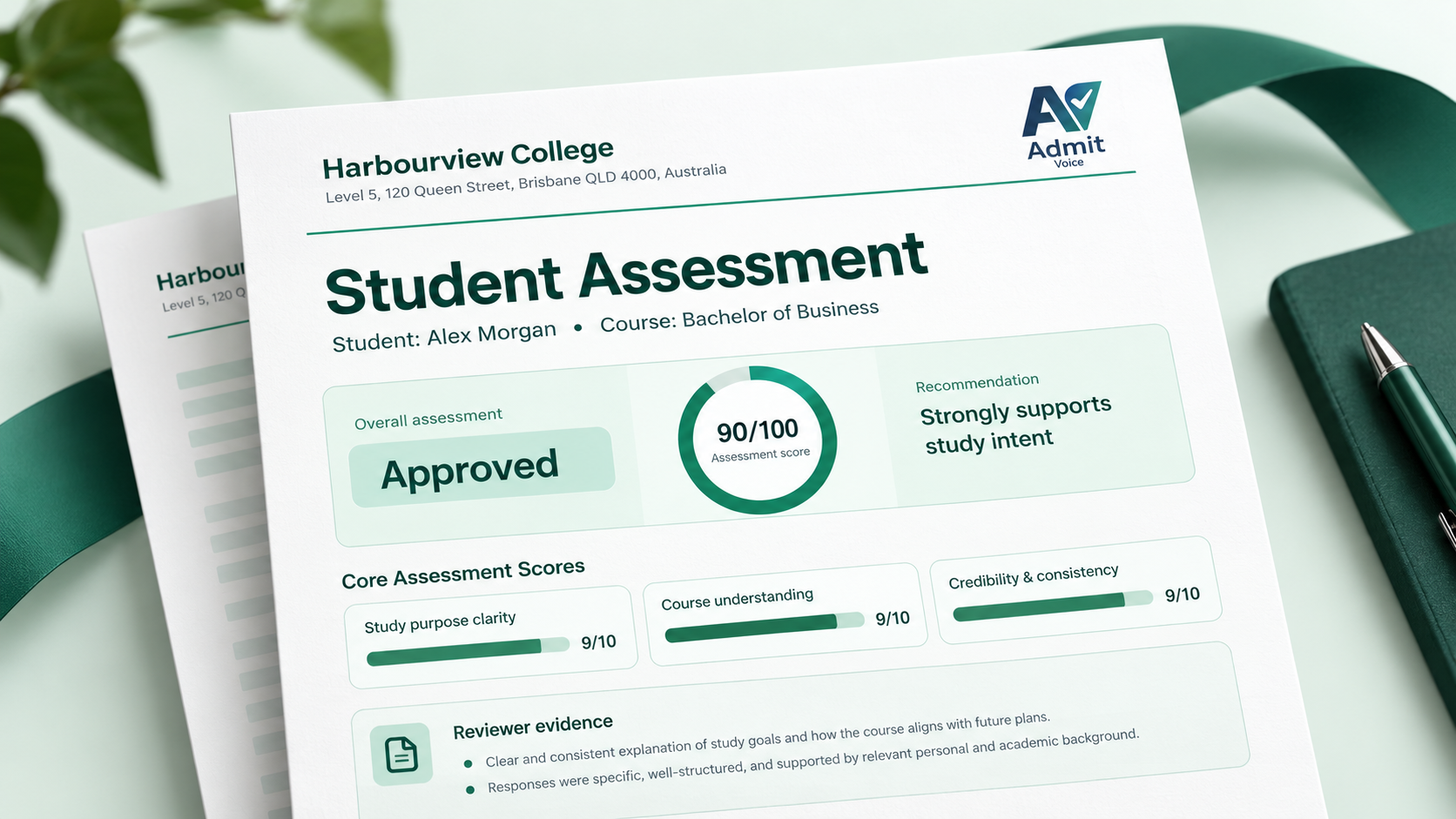
Set up your workspace, send a recorded interview, and review genuine study intent on your team’s schedule.
Create your workspace